Design · templates, the globe, print to PDF

Design

Branded print pieces the desk can make itself. Pick a template, change the words, print to PDF or download a PNG or JPEG for WhatsApp. Every template shares one content document, so a flyer, a profile and a one-pager never disagree.
Templates
4
Flyer
Output
PDF · PNG · JPEG
A4 for print, PNG or JPEG at 3× for WhatsApp
Content
One document
Edit once, every template follows
Flyer
4 templates
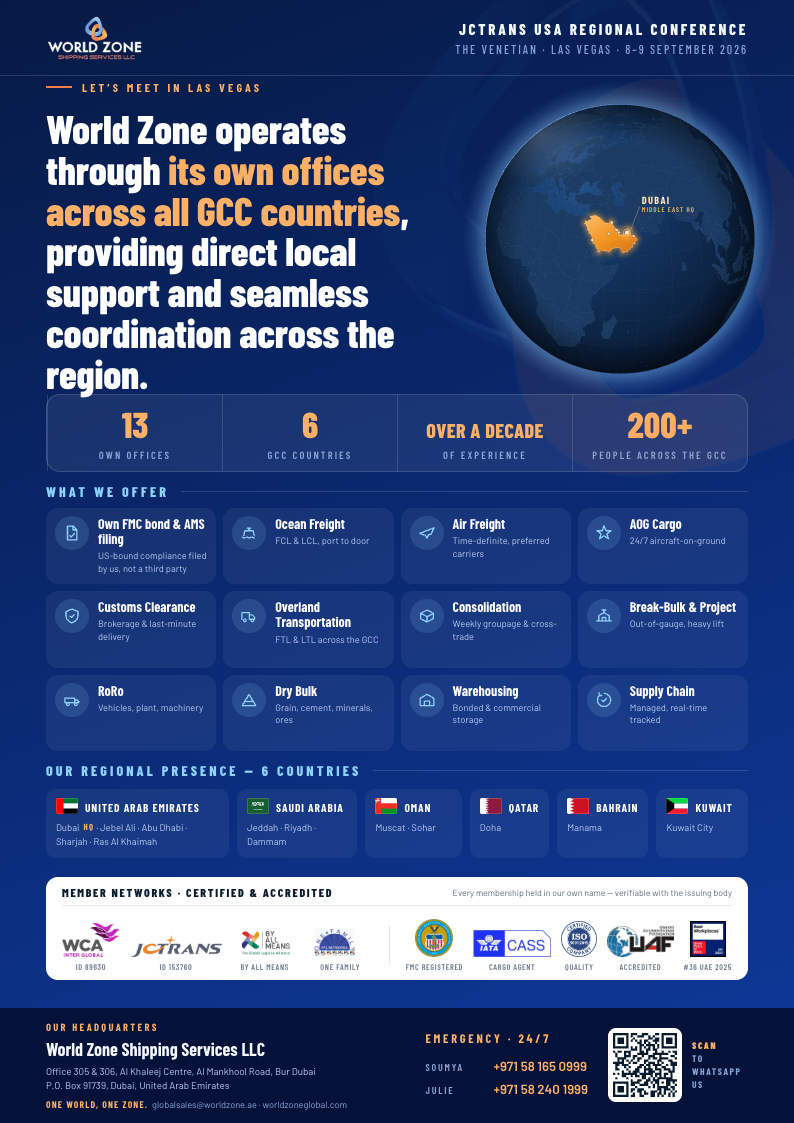
Conference flyer — Navy
Live
The Las Vegas flyer exactly as it shipped: house navy, the globe hero, the offer grid, the six-country presence panel, credentials on white, headquarters and emergency footer.
A4
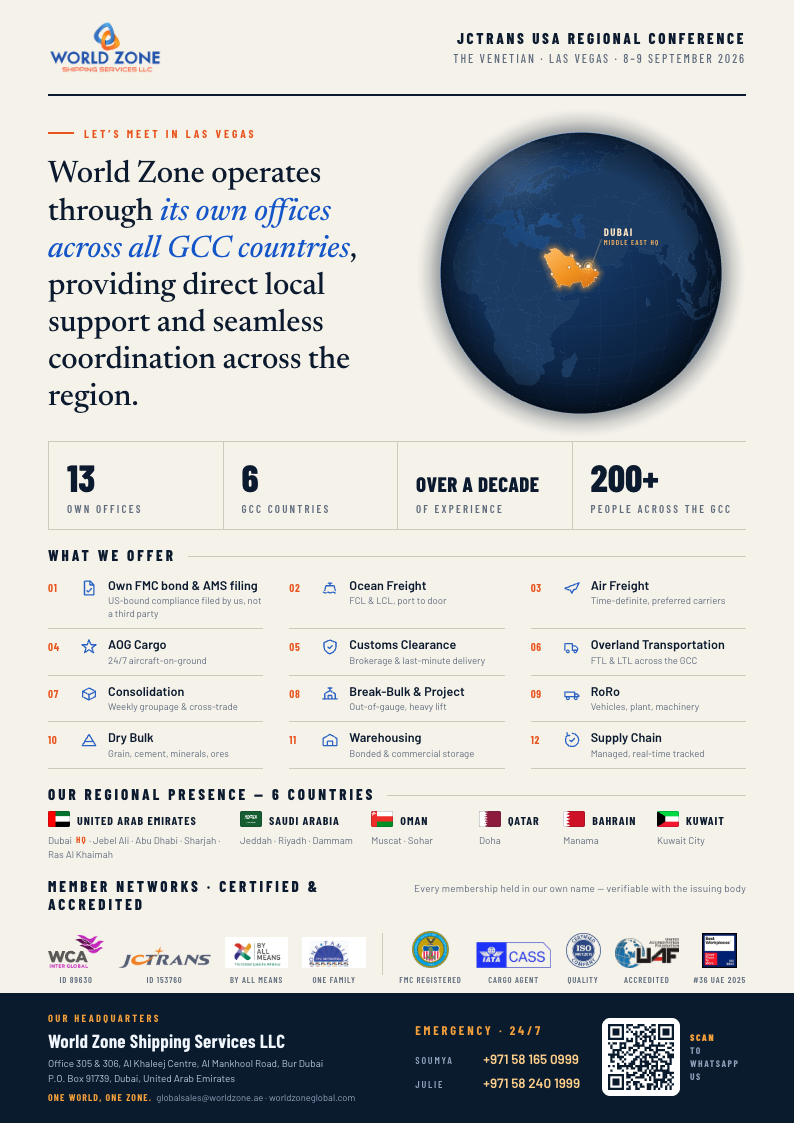
Conference flyer — Editorial
Live
Warm paper, navy ink and the logo in its true colours, with the globe as a dark sphere on a light page. Services numbered on hairlines instead of boxed, and a serif for the one hero sentence. The furthest from looking templated.
A4
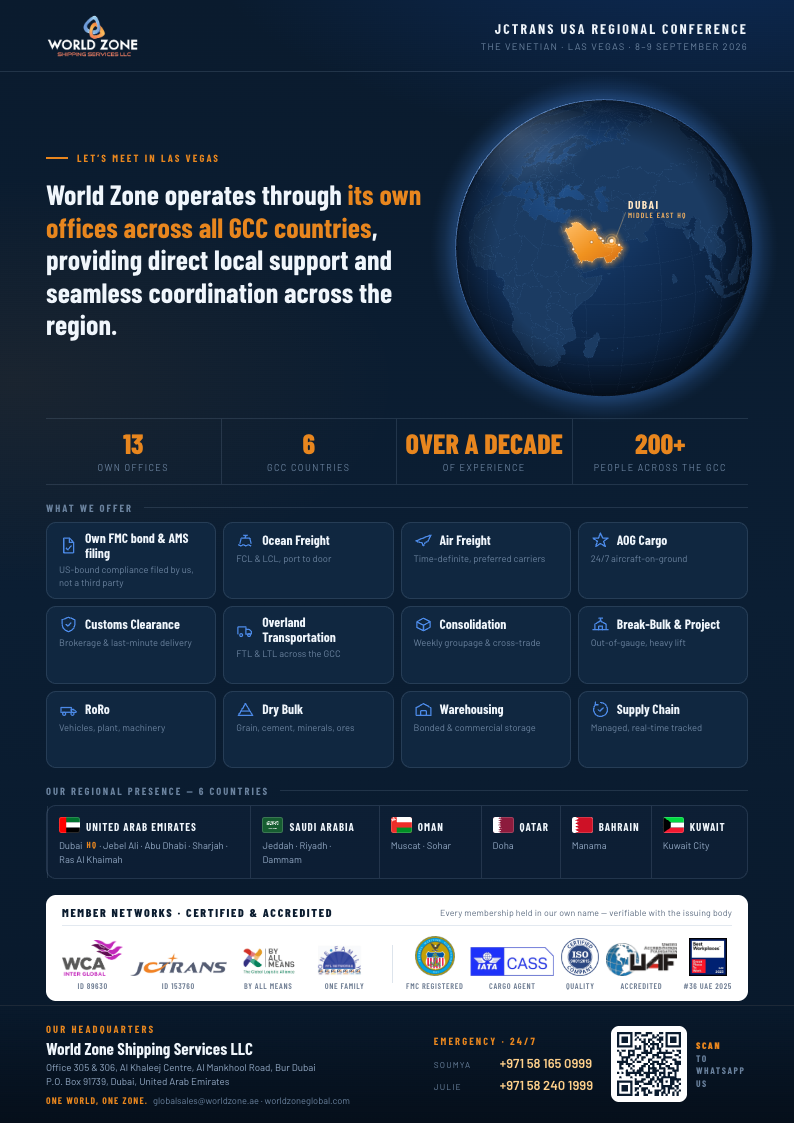
Conference flyer — Brand Blue
Live
The logo's own blue as the whole world, the swirl mark as a watermark, and the services as an even wall of icon tiles — nothing spot-lit, because the business is not one service deep.
A4
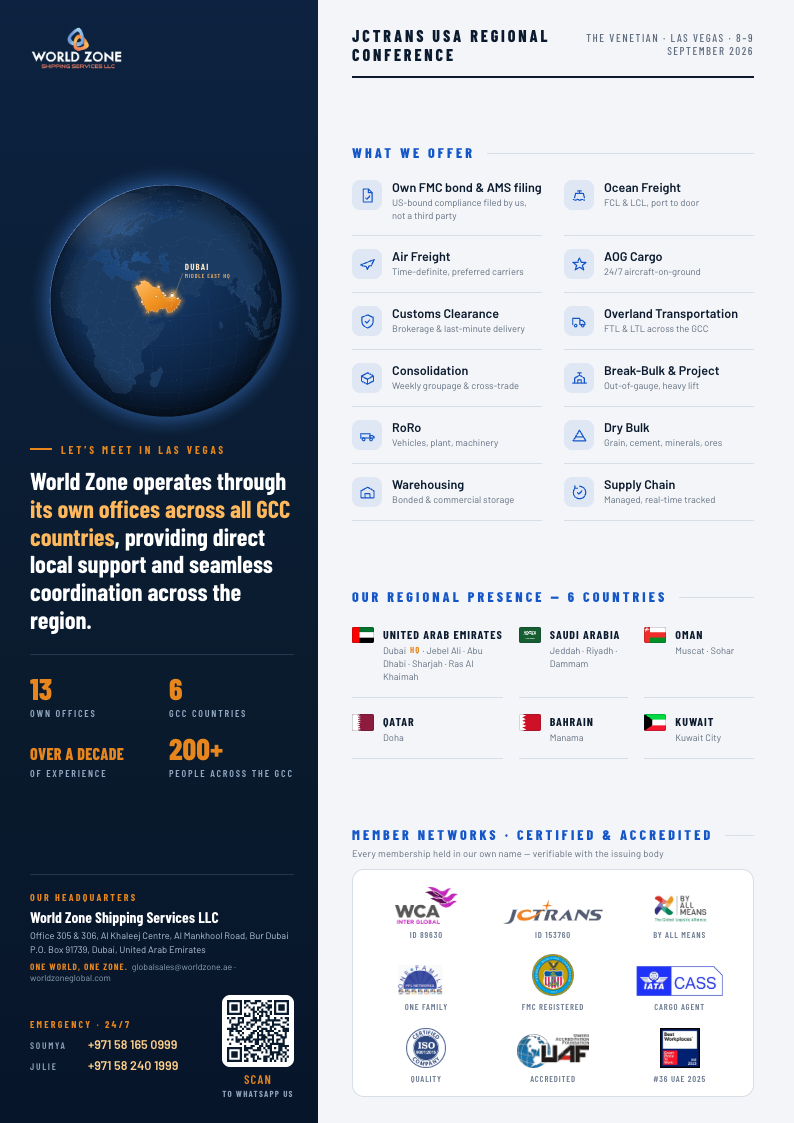
Conference flyer — Split
Live
A navy column holding the globe, the sentence, the stats and the contact; a light panel holding what we offer, the presence and the credentials. Reads like a brochure spread.
A4
The globe
Say "use the globe" — this is the asset. Real coastlines, the six GCC states lit, Dubai ringed as Middle East HQ. Vector all the way down, so it prints clean.
DUBAIMIDDLE EAST HQ

What it is. An orthographic projection of Natural Earth 50m coastlines, centred on the Gulf, with the six GCC states merged into one shape and lit amber. Every effect is a gradient or a stroke — no blur — so a PDF of it never shows a bitmap patch.

Options. Light India too, drop the label or the office dots, or turn the atmosphere into a shadow for a light page. Re-aiming it at another region is one command on the geometry script.

Where it lives. src/components/design/Globe.astro, geometry in src/design/globe/. The same geometry builds the vault's flyer PDFs.

How to use it
Three steps, no software to install
  1. Edit. Open a template. Change any text on the left; the sheet on the right follows as you type. Your edits save in this browser under a document name, so you can keep a "Las Vegas" and a "Rome" version of the same template.
  2. Print. "Print / Save as PDF" opens the browser print dialog. Choose Save as PDF, A4, no margins, background graphics on. That is the exact file.
  3. Share. "PNG" or "JPEG" gives a 3× image that shows inline on WhatsApp — JPEG is the smaller file, PNG the sharper one. PDFs are for print and email.